Google Business Profile July 2026 Updates: Changes Local Businesses Should Act On
Last reviewed: August 18, 2026
The Google Business Profile July 2026 updates are easy to misread as one big release. They weren’t.
July’s local-search news mixed real product changes, phased rollouts, interface tests and temporary bugs. Some changes being discussed in July actually started in June, while one of the biggest developments for local service businesses only begins affecting selected advertisers in August.
Local-search change tracking from Sterling Sky shows just how mixed the month was, with lasting changes appearing alongside review problems, product issues and interface experiments.
For a local business, the useful question is simpler: Does this change require me to preserve data, verify business information, connect reporting or prepare for a new process?
If not, it may be something to monitor rather than another reason to change your local SEO strategy.
Local Services Ads Are Moving Into Google Ads, and August Is the Important Part
This is the highest-priority development for businesses that currently use Local Services Ads.
Google is moving existing Local Services Ads campaigns into Google Ads as a specialized Performance Max campaign type built around pay-per-lead goals.
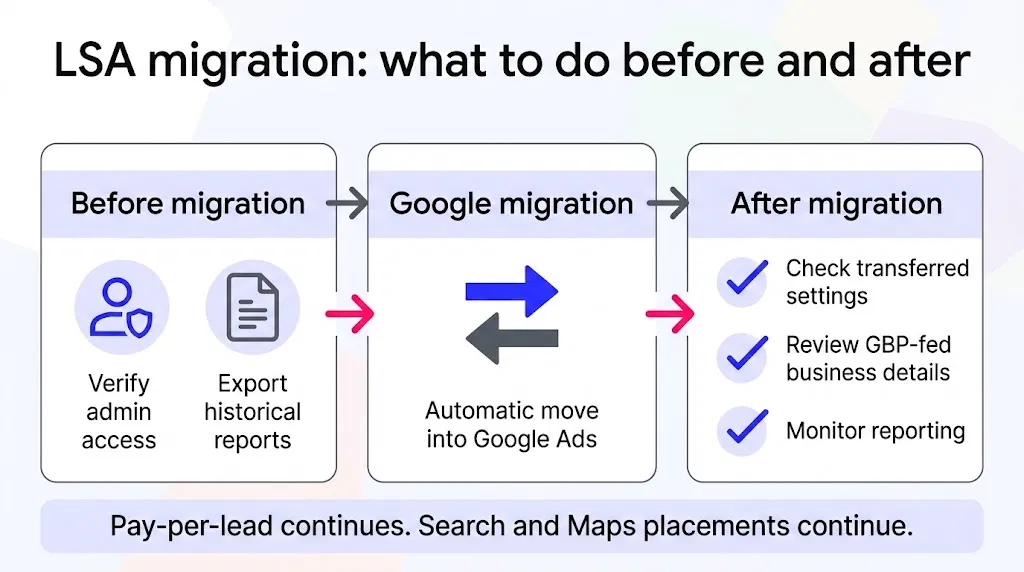
According to Google’s Local Services Ads migration guidance, the migration is automatic. The pay-per-lead model remains, and ads can continue appearing across Google Search and Maps.
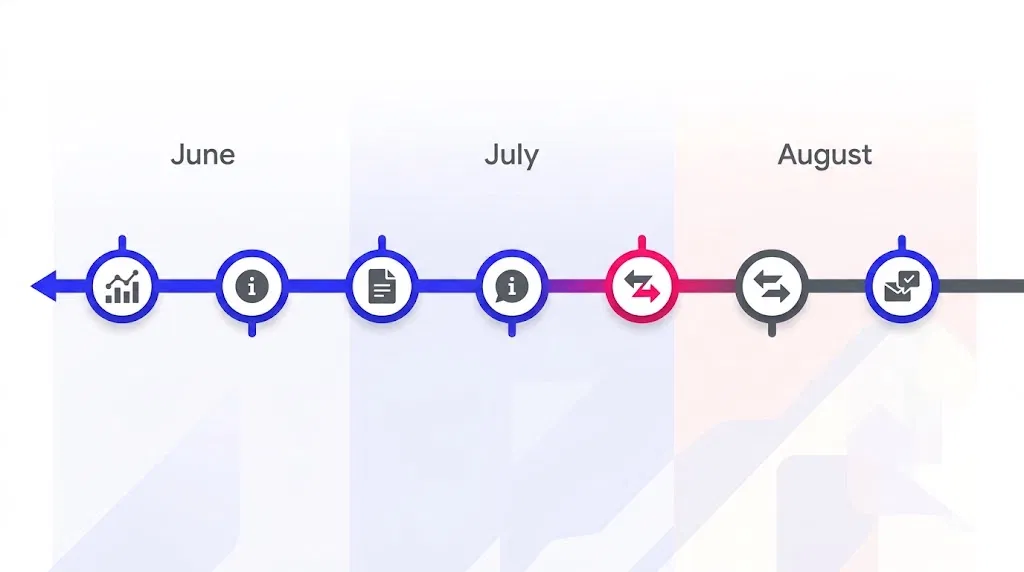
The first migration phase begins in August 2026 for selected U.S. home and storefront service advertisers. Broader groups are scheduled to follow later in 2026, with remaining and non-U.S. advertisers moving during 2027.
That means not every LSA advertiser needs to take action on August 18. But affected businesses should prepare before their individual migration takes place.
Export historical LSA reporting before migration
The most important preparation step is preserving the reporting history you may need later.
Google states that previous LSA campaign performance reports will not carry over into Google Ads after migration. Businesses should therefore download or export the historical information they still need before their migration.
That archive may be useful for year-over-year comparisons, budgeting, lead-quality reviews, client reports or simply maintaining your own business records.
Don’t assume that because Google is performing the migration automatically, every piece of historical reporting will remain available afterward.
You don’t need to manually merge your accounts
The transition is not an instruction to manually combine your Local Services Ads and Google Ads accounts.
Google handles the campaign migration and provides advance notice to affected advertisers. The practical task is making sure the right person still has administrative access, recognizes the migration notification and has preserved anything needed from the old reporting environment.
Check the Business Profile information feeding the new setup
This advertising change also matters to your Google Business Profile because Google documents ongoing synchronization of business information from Business Profile into the migrated advertising setup.
For affected advertisers, that makes accurate profile information more consequential operationally. It doesn’t mean editing your Business Profile will improve ad performance by itself. It means details that feed other Google products should be treated as controlled business information rather than casual listing edits.
If your business name, address, hours or other important information needs a significant change, follow the appropriate verification and approval process rather than making unnecessary edits simply because an advertising migration is approaching.
Collected Info Gives You a New Place to Review What Google Learned About Your Business
Collected Info is the most directly relevant Business Profile feature in this roundup, but its timing needs some clarification.
The feature was already documented in specialist reporting on June 22, while screenshots showing it becoming more visible were reported on July 13.
So it is reasonable to discuss it as part of July’s local-search activity, but not as a feature that suddenly launched for everyone during July. Sterling Sky’s local change tracker records that chronology.
Google also says Collected Info is currently available only for certain regions, languages and business categories.
What Collected Info actually shows
Google may obtain additional business information through automated calls, texts or WhatsApp messages sent to the verified phone number associated with a Business Profile.
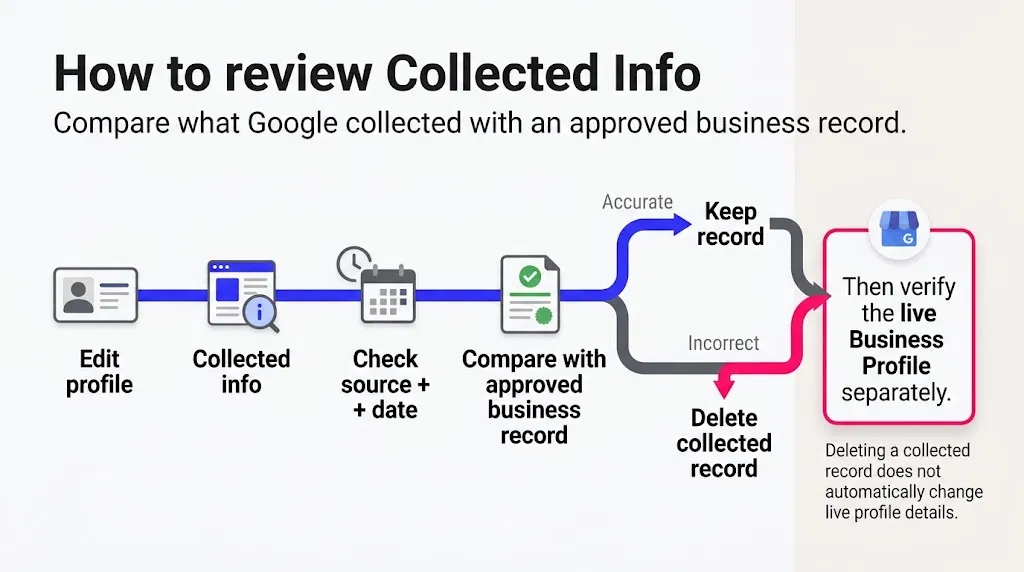
Where the feature is available, you can go to Edit profile → Collected info to review the information Google collected, where it came from and when it was collected. Individual collected records can also be deleted. Google’s Collected Info guidance explains the current process.
The useful operational habit is to compare collected information against an approved business record rather than relying on memory.
If the information is wrong, flag the discrepancy and confirm the correct information before changing anything.
Deleting Collected Info doesn’t automatically fix the live profile
This distinction is easy to miss.
Google says deleting an item from Collected Info removes that collected information from Google’s records, but it doesn’t automatically change other details already shown on the live Business Profile.
So if you find inaccurate collected information, there are potentially two separate checks:
Decide whether the collected record should be removed.
Check the live Business Profile separately and correct the actual listing information if necessary.
Treating those as separate steps can prevent a false sense that the visible listing has already been corrected.
Make sure whoever monitors your business phone can recognize legitimate Google messages
Google’s current fraud-prevention guidance says businesses in some countries may receive legitimate profile-confirmation requests through text or WhatsApp.
Google also advises businesses to check for verified account indicators and warns against sending sensitive information to unverified contacts. Google’s guidance on legitimate profile calls and messages provides the current details.
If several people answer your business phone, including front-desk staff or delegated support, it is sensible to make sure they know what should be verified and when a message should be escalated instead of answered immediately.
The Google Business Profile and GA4 Link Is Useful, but It Has Limits
Another update that received attention in July actually launched earlier.
Google officially announced the Business Profile and Google Analytics integration on June 8, 2026. It allows Business Profile engagement information to appear inside GA4.
The integration currently includes seven Business Profile metrics:
interactions
website clicks
calls
directions
messages
bookings
menus
Google provides a rolling six months of this Business Profile data.
For a business already using GA4, this can make it easier to view website and local-profile activity in a more centralized reporting environment.
But it isn’t a complete replacement for every local SEO reporting setup.
When multiple Business Profiles are linked, Google says the metrics are aggregated. The current integration doesn’t let you segment or filter those GBP metrics by individual profile.
That limitation matters much more to multi-location businesses than to a business managing a single location. DAC’s July Local Search News analysis reaches a similar practical conclusion: the integration adds useful visibility, but more granular location-level reporting may still be required.
If reporting and listing checks are already part of your marketing operations, this fits naturally alongside other recurring local SEO tasks rather than requiring a completely new reporting process.
The Appeals Change Matters When Something Goes Wrong
July also brought a procedural change around Business Profile appeals.
Specialist reporting on July 8 documented evidence uploads becoming more directly incorporated into the current appeal workflow. The more important detail for a business facing a suspension or restriction is the time limit documented in Google’s current Business Profile appeals guidance.
Once you open the evidence form, Google says the supporting evidence must be submitted within 60 minutes. Examples can include business registration documents, licences, tax certificates and utility bills, with identifying business details matching the profile.
This isn’t something every healthy Business Profile needs to prepare as a routine monthly task.
But if your profile is already suspended or restricted, gather the relevant documents before opening the evidence step. Trying to locate paperwork after the 60-minute window starts creates avoidable pressure.
Sensitive appeal decisions should remain with the business owner or an appropriate specialist rather than being treated as an ordinary listing-maintenance task.
What I Am Not Treating as an Actionable July Update
July also included reports of missing reviews, missing review replies, products remaining pending and visual changes to the Business Profile dashboard. Sterling Sky’s tracker records several of these issues alongside the more durable changes covered above.
That is why it helps to separate three different kinds of news:
Confirmed product or process change: Check whether it affects your account, then document the action required.
Rollout or test: Monitor availability and wait for clearer evidence before changing an established process.
Bug or temporary issue: Verify that the problem is known before changing important business information in an attempt to fix something that may be on Google’s side.
Those labels are a practical way to organize updates, not Google’s official classification system.
A missing review or different dashboard colour doesn’t automatically mean your business needs a new optimization strategy.
Use a Google Local Update Change Register Instead of Chasing Every Headline
The easiest way to keep future changes manageable is to record what changed, whether it actually affects your business and who is responsible for the next action.
Here is a starting register based on the updates above:
| Change | Confirmed date / status | Who is affected | Action required | Trigger or deadline | Evidence or record | Owner | Next status |
|---|---|---|---|---|---|---|---|
| LSA migration into Google Ads | July 2026 announcement; phased rollout begins August | LSA advertisers selected for migration | Export historical reports, verify access and review transferred settings | Before your account migrates | Historical LSA reporting export | Owner or PPC lead; admin preparation can be delegated | Await notice, then review migration |
| Collected Info | Documented in June; visible rollout reporting in July | Profiles where the feature is available | Compare source, date and information with an approved business record | During an appropriate profile review | Approved business details and discrepancy notes | Owner, manager or trained operations support | Monitor periodically |
| GBP to GA4 integration | Launched June 8, 2026 | Businesses using GA4 | Connect if the metrics improve existing reporting and document its limitations | No emergency deadline | Current reporting setup | Marketing or analytics owner | Review reporting usefulness |
| Appeal evidence workflow | July workflow reporting; current Google procedure | Suspended or restricted profiles | Assemble matching evidence before opening the evidence form | Before beginning evidence submission | Relevant registration, licence, tax or utility documents | Business owner or authorized specialist | Use only when required |
| Review, product or UI bugs | Various July reports | Profiles experiencing the specific issue | Verify the issue from reliable sources before changing profile data | While the issue remains active | Screenshot or issue record if useful | Monitor and escalate | No strategy change unless confirmed |
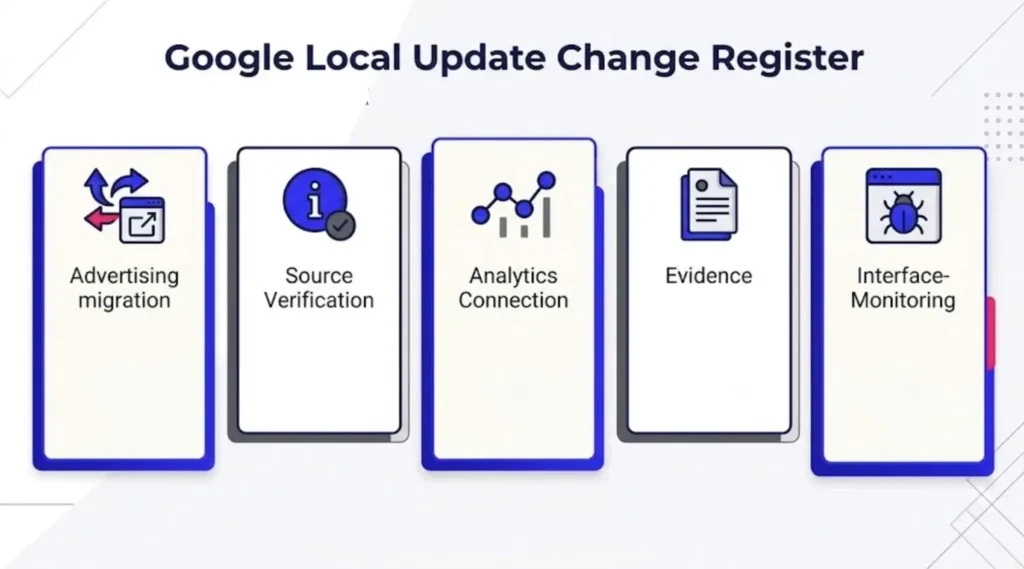
The register can grow over time. The important part isn’t documenting every Google headline. It is documenting the ones that change an account, business record, reporting setup or actual response procedure.
Keep Your Listing Current Without Turning Every Update Into a Project
The main lesson from July isn’t that local businesses suddenly need a completely different Google Business Profile strategy.
It is that different changes deserve different responses.
If you use Local Services Ads, preserve the historical reports Google won’t transfer. If Collected Info appears on your profile, compare it with approved business facts and remember that deleting the collected record doesn’t automatically update the live listing.
If you use GA4, connect Business Profile data when it adds useful reporting visibility, while keeping its six-month and multi-location limitations in mind. If a suspension occurs, prepare your evidence before opening the timed submission step.
Once the business rules and approval boundaries are clear, recurring work such as profile checks, data exports, reporting, record comparison and issue tracking can be handled as execution work rather than remaining on the owner’s personal task list.
If that recurring layer is becoming difficult to keep up with, my guide to delegating Google Business Profile maintenance explains how to hand off routine work without handing off sensitive decisions.
You can also explore ongoing and project-based support through Boost VA for the implementation work that keeps these processes moving.