
How to Give Clear Instructions to a Virtual Assistant: A Task-Brief Method
“Please update the prospect sheet and send it Friday.”
That sounds like a clear instruction.
But a virtual assistant could reasonably have several questions before starting. Which sheet? Which records need updating? Which source should be trusted if two websites disagree? What does “send it” mean? Is Friday the review date or the final deadline? Friday in which time zone? What should happen when information is missing?
If you want to know how to give clear instructions to a virtual assistant, the answer isn’t simply to write longer messages. The aim is to remove the assumptions that could change the result.
A useful task brief tells your VA what outcome you need, where the current information lives, what they may decide, what needs approval, when the work is due, and what to do when something doesn’t fit the instructions.
If you’re still deciding which responsibilities are suitable to hand over, start with these tasks to delegate to a virtual assistant. Once the task is chosen, the next challenge is explaining it clearly enough to execute.
Why a Task That Sounds Clear Can Still Be Ambiguous
Clients usually know more about a task than they realize.
You know which spreadsheet is current. You remember why a certain field matters. You know that an old document shouldn’t be used anymore. You know which exceptions you want brought back to you.
Your VA only knows what has been communicated.
That creates a simple problem: an instruction can make perfect sense to the person writing it while still leaving several decisions open to interpretation.
Asana’s guidance on project briefs recommends capturing information such as goals, scope, timeline, context, and relevant resources. A VA task will often be much smaller than a full project, but the same principle is useful: give the person doing the work enough context to understand the assignment without forcing them to reconstruct it from scattered messages.
The goal isn’t to document everything you know.
It is to document the things that could materially change how the task is completed.
Start With the Result, Not Just the Activity
“Research competitors.”
“Update WordPress.”
“Prepare the report.”
“Find prospects.”
Each statement describes an activity, but not necessarily the result you expect.
A clearer instruction starts with the outcome.
For example:
Activity: Find 30 prospects.
Outcome: Add 30 US-based marketing agencies that meet the supplied criteria to the prospect sheet, including website, contact name when available, email when publicly available, and the source used for verification.
Now the VA knows what the finished work should look like.
This doesn’t mean every task requires a paragraph of explanation. A familiar recurring task may need only a short instruction because the underlying process is already documented.
For new, changing, or higher-risk work, define the result more deliberately.
Define what “done” means
“Done” should describe the state you expect to review.
For a WordPress task, “upload the article” could mean several different things:
paste the supplied copy into WordPress;
format headings and lists;
insert supplied internal links;
enter SEO metadata;
add and compress images;
assign the category;
leave the article in draft;
return the preview URL.
Those are not the same assignment.
A stronger instruction might say:
Done means: The supplied article is formatted in WordPress, the provided metadata is entered, links are checked, the post remains in Draft status, and the preview URL is returned for review.
That gives both sides the same finish line.
Point to the Current Source
A clear task can still go wrong when the source material is unclear.
Imagine that your VA has:
an old spreadsheet;
a newer version in a shared folder;
revised criteria from yesterday’s chat;
an SOP written three months ago;
and an example from the previous campaign.
Which one wins when they conflict?
Don’t make the VA guess.
State which file, page, document, dataset, folder, or prior example is authoritative for the task.
For example:
Use the “Agency Prospect Criteria – August” document as the current criteria. If an older message conflicts with that document, follow the document and flag the conflict in the Notes column.
This complements the broader principle in my guide to tools for managing a virtual assistant: important task information needs an agreed home rather than several competing versions.
GitLab’s handbook-first communication approach provides a larger-scale example of the same idea in distributed work. Stable information becomes easier to use when people know where the maintained version lives.
State the Decision Boundaries
“Use your judgment” can be useful when the VA already understands the responsibility.
For a new task, it can also leave too much undefined.
A better brief separates three kinds of decisions:
| Decision type | Example |
|---|---|
| VA can decide | Correct obvious formatting, remove an exact duplicate, or use an approved alternative source |
| Ask first | Delete an existing record, change supplied copy, or replace previously approved information |
| Escalate / stop | Two authoritative sources conflict, required access is unavailable, or the task would require a decision outside the agreed scope |
The exact boundaries depend on the task.
The point is not to remove judgment. It is to make clear where independent judgment is expected and where the client wants to remain involved.
This is especially useful for recurring execution because it prevents two opposite problems: the VA asking permission for every small decision, or making a decision the client expected to review.
Make Deadlines Clear Across Time Zones
“Tomorrow morning.”
“By end of day.”
“Friday afternoon.”
Those phrases can work when both people already share the same schedule and location. They become less reliable when a client and VA work in different time zones.
Atlassian’s working-agreement guidance explicitly includes working location, time zone, and working hours among the details distributed collaborators may need to make clear.
For an important deadline, write:
Date + clock time + time zone
For example:
Final delivery: Friday, 28 August 2026 at 4:00 PM WAT (UTC+1).
If you want time to review the work before it becomes final, state that separately:
Draft for review: Thursday, 27 August at 2:00 PM WAT.
Final delivery after revisions: Friday, 28 August at 4:00 PM WAT.
That removes another hidden assumption: whether the stated deadline is the first review point or the final completed result.
Choose the Clearest Way to Explain the Task
Not every instruction is best communicated in the same format.
The medium should match the information you are trying to communicate.
Use text for exact rules and searchable details
Text works well for:
URLs;
filenames;
deadlines;
required fields;
exclusions;
approval rules;
source priority;
acceptance criteria.
These are details the VA may need to check again while working.
Slack’s guidance on asynchronous communication emphasizes messages that are clear, contextual, and easy to scan. That is a useful standard for a VA task message as well.
Use screenshots or examples for visual targets
Sometimes three sentences of description are less useful than one screenshot.
A screenshot or approved example can help when the task involves:
page layout;
spreadsheet formatting;
image placement;
an unfamiliar interface;
a specific visual standard;
the location of a setting or field.
The screenshot should support the instruction rather than replace the important written details.
For example, you may show where a WordPress field appears while still writing the exact metadata that should be entered.
Use a short recording for process-heavy work
A short screen recording can be useful when the task depends on a sequence that is awkward to describe step by step.
It can show how to:
navigate a recurring interface;
complete an internal form;
process records in a particular order;
reproduce an established publishing routine.
If the process later changes, update the durable instruction as well. Otherwise, the recording and the written task can become two different versions of the process.
Use a live conversation when the uncertainty is the problem
Async communication isn’t automatically the best choice for every issue.
If a task involves several unresolved decisions, sensitive context, or a complicated exception, a short conversation may be more efficient.
The important part comes afterward: record the resulting decision in the task or documentation.
That way, the next person reviewing the assignment doesn’t need to know what was said on a call.
Write for Understanding, Not for Impressing
Simple language is useful even when both client and VA are fluent English speakers.
The UK Home Office’s guidance for writing for people with limited English recommends practices such as using clear language, avoiding unnecessary idioms, expanding acronyms, and considering visual information where appropriate. Many of those habits make workplace instructions easier to interpret more generally.
Instead of:
Can you circle back on the low-hanging fruit and get this over the line ASAP?
Write:
Please complete the records that meet the existing criteria first. If any record falls outside the criteria, add it to the review list instead of approving it yourself.
The second version may be longer, but it asks the reader to interpret less.
This becomes especially important when people work across different professional, national, or cultural contexts.
Don’t try to solve that by memorizing stereotypes about how people from a particular country communicate.
Make the operating expectation explicit instead.
Define what “urgent” means.
Write the actual deadline.
Explain whether silence means approval or whether approval must be explicit.
State when the VA should continue independently and when the work should stop for a decision.
Clarity is more reliable than assuming two people interpret an unwritten rule in the same way.
Close the Loop Before Work Starts
For a familiar recurring task, you probably don’t need the VA to repeat the entire instruction every time.
For a new, complicated, or high-impact task, a short confirmation can help expose different interpretations before work begins.
For example:
Before starting, please confirm the final deliverable and deadline as you understand them, and let me know if anything is unclear or blocked.
That isn’t a test.
It is a practical way to compare two interpretations of the same instruction while changes are still cheap to make.
Questions are useful information too. If a VA repeatedly asks the same question about a recurring task, the issue may no longer belong in one-off chat.
It may be time to improve the maintained instruction.
When Requirements Change, Update the Task
Tasks change.
A deadline moves.
A field becomes unnecessary.
The client approves a new example.
A previously optional step becomes required.
Clarifying the change in chat is useful in the moment, but the final task record should change too.
Otherwise, the VA may have an original instruction in the task and a different instruction ten messages later.
A simple rule helps:
Discuss changes wherever the conversation happens, then update the place that defines the work.
That preserves one current version.
Troubleshoot the Instruction Before Adding More Meetings
When communication feels difficult, the first reaction is often to schedule more check-ins.
Sometimes a meeting is exactly what is needed.
Other times, the underlying problem is still sitting inside the task description.
| What keeps happening? | Possible instruction gap | Practical fix |
|---|---|---|
| Correct activity, wrong final result | Outcome is unclear | Define the deliverable and what “done” means |
| VA uses an outdated file | Source is unclear | Name the current source and priority rule |
| Too many small approval questions | Authority is unclear | Define what the VA may decide independently |
| Deadline misunderstanding | Timing is unclear | Add exact date, time, and time zone |
| Repeated questions about the same process | Stable instructions are missing | Move the recurring rule into maintained documentation |
| Chat and task say different things | Requirements changed without updating the record | Update the task after the decision |
| Long written explanations still cause confusion | The task is easier to show than describe | Add a screenshot, approved example, or short recording |
More communication isn’t automatically clearer communication.
The better goal is to make the important information easy to find and difficult to misinterpret.
Use This VA Task Brief Card
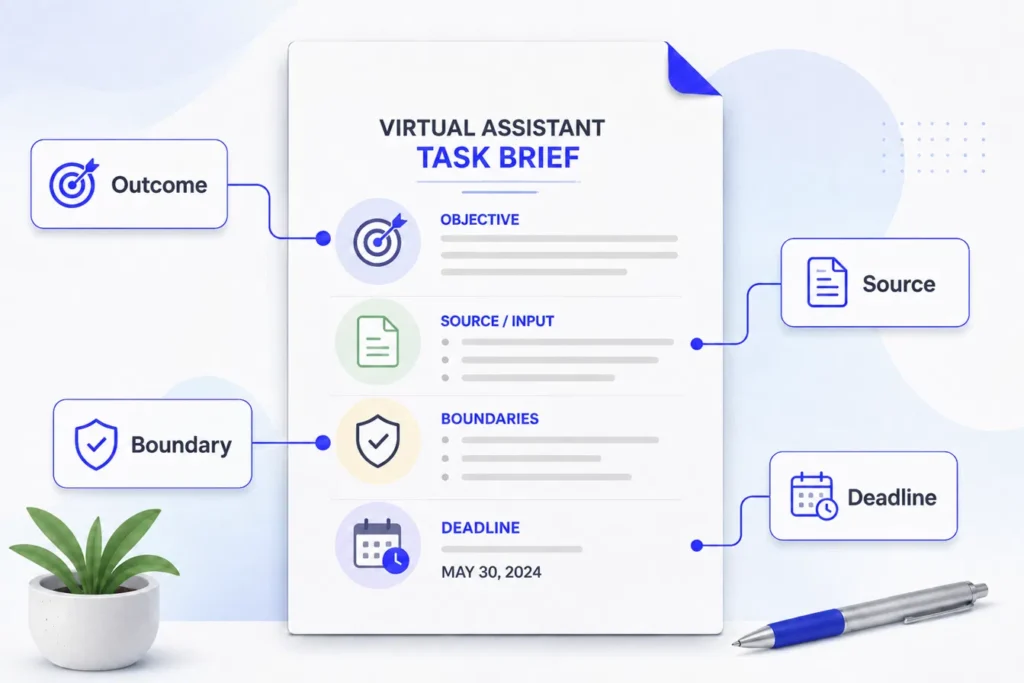
You don’t need every field for every assignment. Use the ones that remove meaningful uncertainty.
| Task brief field | What to include |
|---|---|
| Task | A plain-language name for the assignment |
| Outcome | The result you need, not only the activity |
| Context | Why the task matters when that affects execution |
| Deliverable / Done | What should exist or be true at completion |
| Current sources | The authoritative files, pages, data, examples, or links |
| Constraints | Required format, exclusions, or things that must not change |
| Decision boundary | What the VA may decide, what requires approval, and what must be escalated |
| Due / Review | Exact date, time, and time zone, with review and final deadlines separated when necessary |
| Example / visual reference | A screenshot, approved output, or short recording when useful |
| Confirmation | Any question or short recap you want before work begins |
| Change record | The place where final requirement changes should be updated |
Illustrative example
Here is a deliberately vague instruction:
Update the prospect sheet and send it Friday. Use the usual format and flag anything weird.
A clearer version might look like this:
Task: Update rows 120-180 in the “Agency Prospects – August” sheet.
Outcome: Each reviewed company should have its website, country, contact email when publicly available, verification source, and final status recorded.
Current source: Use the linked prospect criteria document. Use the company’s own website as the primary source for company information. If an authoritative source conflicts with another source, don’t guess. Record the conflict in Notes.
Constraints: Don’t delete existing records or replace a previously verified email without evidence. Don’t fill missing information from assumption.
Decision boundary: You can correct obvious formatting and exact duplicates. Ask before deleting an existing record. Flag conflicting information or any company that doesn’t clearly fit the criteria.
Due: Friday, 28 August 2026 at 4:00 PM WAT (UTC+1).
Done means: Rows 120-180 have been reviewed, statuses are complete, source links are recorded, and unresolved items are clearly flagged.
Before starting: Confirm the row range and deadline, then send any questions that would prevent you from beginning.
This example is fictional. The useful part is the structure.
The finished brief leaves fewer decisions hidden inside phrases such as “usual format,” “send it Friday,” or “flag anything weird.”
Clear Instructions Should Remove Assumptions, Not Add Meetings
Working effectively with a virtual assistant doesn’t require writing an SOP for every small request.
It requires knowing which details matter.
Define the outcome.
Point to the current source.
Explain what “done” means.
Set the decision boundaries.
Write the deadline precisely.
Use screenshots or recordings when they communicate the task better than text.
And when a requirement changes, update the instruction your VA is expected to follow.
For a new working relationship, the virtual assistant onboarding guide covers the wider setup around access, communication rules, and first responsibilities.
If you already have recurring work or a defined project that is ready for execution, you can also explore ongoing and project-based virtual assistant support through Boost VA.