
Key Tools & Systems for Working with a Marketing Virtual Assistant
Giving a marketing virtual assistant access to six different apps does not automatically create a useful system.
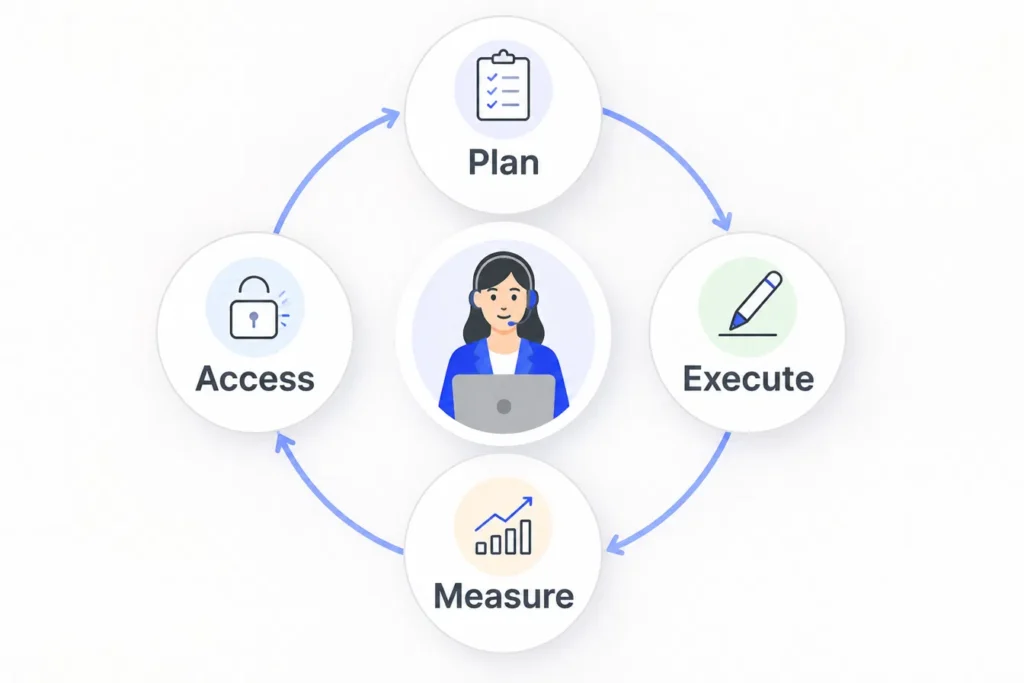
The tools only help when the VA knows where work starts, where the latest assets live, which platform should be updated, what requires approval, and where completed work should be recorded.
That is the important difference between collecting software and creating a working marketing setup.
The best marketing virtual assistant tools will depend on the work you actually delegate. A VA handling social scheduling needs a different setup from someone supporting SEO research, email campaigns, WordPress updates, or CRM maintenance.
If you are still deciding what work to hand over, start with these marketing tasks you can outsource to a virtual assistant. Once the responsibilities are clear, the tool decisions become much easier.
Start With the Marketing Workstream, Not the Software
It is easy to approach this backwards.
You see a popular project-management platform, automation tool, or AI app and then try to fit your workflow around it.
A better question is:
What does this marketing workstream need the VA to do reliably?
A basic marketing setup might look like this:
| Marketing workstream | What the system needs to handle | Typical tool category |
|---|---|---|
| Campaign and task control | Briefs, owners, deadlines, status and approvals | Project management |
| Content and social media | Drafts, creative assets, calendars and publishing | Documents, design and scheduling |
| Email and CRM | Contacts, campaign preparation, segmentation and records | CRM and email marketing |
| SEO and reporting | Research, monitoring, exports and performance records | SEO, analytics and spreadsheets |
| Website content | Drafting, uploading, formatting and QA | CMS and website tools |
| Repetitive handoffs | Alerts, data movement, formatting and routine actions | Automation and AI |
You may not need a separate platform for every row.
If your existing system already handles several functions well, adding another app can create more places to check rather than making the work easier.
For the broader management side, my simple tool stack for managing a virtual assistant explains how to separate tasks, communication, documentation, and file storage.
This article focuses on the marketing layer that sits inside that wider setup.
1. Keep Campaign Tasks in One Work System
Marketing work often arrives from several directions.
A social post needs a revision. A landing page needs updating. A prospect list needs checking. An email campaign needs preparing. Somebody notices a website issue in chat.
If each request remains in the place where it was first mentioned, the VA has to remember work scattered across messages, emails, documents, and meetings.
That is where a project-management or task system helps.
Platforms such as Asana, ClickUp, Trello, or an existing internal system can all serve the purpose. The exact product matters less than the structure.
For each task, the VA should be able to identify:
what needs to be completed;
who owns it;
the deadline;
the relevant brief or source material;
whether approval is required;
the current status.
Communication platforms still matter, but they should not have to function as the permanent memory of the campaign.
A message can start a conversation. The resulting task should live somewhere both sides can find later.
This is especially important when a marketing VA is working across recurring campaigns rather than completing one isolated project.
2. Give Content and Social Work a Clear Production System
Content work can involve several separate assets before anything is published.
There may be a draft, an image, a brand reference, a content calendar, a scheduling platform, a client note, and a final approved version.
The goal is not necessarily to keep everything inside one piece of software. The goal is to make the path from draft to publication obvious.
For example, a content workflow might use:
Google Docs or another shared document system for copy;
a shared folder for approved brand assets;
Canva or another design platform for creative production;
Publer, Buffer, Hootsuite, Later, or a native platform scheduler for publishing;
a task system for approval and status.
The important part is defining which version is authoritative.
If copy is changed in a document after somebody has already placed an earlier version in the scheduler, the VA needs to know which one wins.
The same applies to images, campaign dates, hashtags, offers, landing-page links, and other details that may change during production.
A good system reduces the amount of detective work required before the VA can complete a routine task.
3. Separate CRM Work From Email Campaign Decisions
A marketing VA may support email and CRM work without owning the entire campaign strategy.
Those are different responsibilities.
A CRM such as HubSpot, Salesforce, Zoho, or another system may contain prospect records, customer information, lead stages, notes, and campaign activity.
Email platforms such as Mailchimp, ActiveCampaign, or similar tools may then handle campaign preparation and sending.
Depending on the role, a VA might help with work such as:
cleaning or updating records;
importing approved contacts;
organizing lists;
applying agreed tags;
preparing campaign drafts;
formatting supplied copy;
checking links;
updating campaign records after completion.
But access to the tool should not automatically mean authority to change the offer, targeting rules, sales stages, automations, or sending schedule.
That boundary should be decided before the work starts.
The same principle applies throughout marketing: access to a system and authority inside that system are not the same thing.
My guide on working with a marketing virtual assistant goes deeper into deciding what a VA can execute independently, what should be prepared for approval, and what needs to be escalated.
4. Build an SEO and Reporting System Around Repeatable Checks
SEO work often involves several tools because no single platform handles every job.
Depending on the task, a marketing VA may work with tools such as:
Google Search Console;
Google Analytics;
Ahrefs;
Semrush;
spreadsheets;
keyword or rank-tracking tools;
internal reporting systems.
The important distinction is between collecting and organizing information and making strategic decisions from it.
A VA may be able to run defined searches, export data, update tracking sheets, collect keyword information, check URLs, prepare reports, or flag unusual changes.
That does not automatically mean the VA should independently change the SEO strategy whenever a metric moves.
A useful reporting system makes three things clear:
Which data should be collected?
Where should it be recorded?
Which changes should be flagged for review?
Without those rules, reporting can become a pile of numbers rather than useful operational support.
A consistent spreadsheet or reporting template is often enough to keep recurring checks understandable.
5. Treat WordPress or Your CMS as Part of the Marketing System
Website content is often where several marketing workstreams eventually meet.
A blog article may start in a document, use SEO research from another platform, include images stored elsewhere, require metadata, and finally be published through WordPress or another CMS.
A marketing VA supporting the website may handle tasks such as:
uploading approved content;
formatting headings and tables;
adding supplied images;
inserting approved internal links;
updating metadata;
checking page presentation;
preparing a draft for review;
making routine content updates.
The CMS therefore needs its own place in the system rather than being treated as an unrelated technical tool.
For more sensitive website actions, draft or limited permissions may make more sense than giving full administrative access automatically.
That leads to one of the most important parts of the entire marketing tool setup.
6. Make Access and Permissions Part of the Tool Decision
A tool is not suitable simply because it can perform the required task.
You also need to consider what level of access the VA actually requires.
The NIST definition of least privilege describes the principle of limiting access to what is necessary for an assigned task. It is a useful way to think about marketing systems as well.
For example, the required access may differ depending on whether the VA needs to:
view information;
edit a draft;
upload content;
schedule something;
publish something;
change billing or account settings;
manage other users.
Many platforms already provide ways to separate these permissions.
For example, Google explains how Drive sharing permissions can distinguish between different levels of file access, while Google Ads provides different user access levels.
The principle is simple: give enough access to complete the assigned work without giving broader control simply because it is convenient.
Your virtual assistant onboarding process is a good time to set up these accounts and permissions properly.
7. Use AI and Automation as a Layer, Not the Source of Truth
AI and automation can remove repetitive steps from marketing operations, but they do not replace the need for a clear process.
Tools such as ChatGPT or Claude may help with structured drafting, summarizing information, extracting fields, reorganizing notes, or preparing first versions of repetitive content.
Automation platforms such as Zapier or Make can help move information between systems or trigger routine actions.
The question should still be:
What part of an already understood process are we trying to make faster?
For example, automation may be useful for:
creating a task when a form is submitted;
moving approved information between systems;
sending an internal alert;
preparing recurring records;
reducing repetitive copying;
organizing structured data for review.
Problems start when automation is added before anybody has decided what should happen in the first place.
The same is true with AI.
A generated draft, summary, classification, or recommendation should not automatically become the final source of truth simply because the tool produced it quickly.
For marketing work, human review becomes especially important when the output affects public content, customer communication, targeting, budgets, claims, or important business data.
Choose Marketing Virtual Assistant Tools by Workstream, Not Popularity
There is no universal marketing VA stack.
A business focused heavily on social media may need stronger content-production and scheduling systems.
An SEO agency may care much more about research tools, spreadsheets, reporting, outreach systems, and WordPress.
A business with a large lead database may need the CRM to sit at the center of the operation.
Before adding another tool, ask:
Does this solve a real work problem?
Is another existing platform already doing the job?
Will the VA know when to use it?
Can the VA receive the correct level of access?
Does it reduce manual work or create another place to check?
Can completed work be reviewed later?
The best software is usually the software that fits the existing work without creating additional confusion.
Use This Marketing VA Toolkit Planner
Before setting up accounts for a new marketing VA, map the workstreams first.
You can use this simple planner:
| Marketing workstream | Primary tool | What lives here? | VA permission | Approval point | Source of truth | Reporting location |
|---|---|---|---|---|---|---|
| Social content | ______ | ______ | ______ | ______ | ______ | ______ |
| Email / CRM | ______ | ______ | ______ | ______ | ______ | ______ |
| SEO | ______ | ______ | ______ | ______ | ______ | ______ |
| Website / CMS | ______ | ______ | ______ | ______ | ______ | ______ |
| Outreach | ______ | ______ | ______ | ______ | ______ | ______ |
| Reporting | ______ | ______ | ______ | ______ | ______ | ______ |
| Other | ______ | ______ | ______ | ______ | ______ | ______ |
You do not need to fill every row.
The point is to make each active workstream understandable before giving someone access to several disconnected platforms.
For every row you keep, you should be able to answer:
Where does the work start?
This might be a task system, campaign brief, spreadsheet, or recurring checklist.
Where is the current information kept?
The VA should not have to guess whether the newest instruction is in an email, old document, or chat message.
What can the VA change?
Write down the permission and decision boundary.
What needs approval?
Identify the point where the work stops and somebody else reviews it.
Where is completion recorded?
The client or manager should be able to see what happened without asking for a separate explanation every time.
That turns a collection of tools into an actual operating system for the work.
Where Marketing Tool Setups Usually Become Too Complicated
More software is not automatically better.
A setup may need simplifying when:
the same task is being tracked in two places;
instructions are spread across several documents;
chat has become the only record of decisions;
the VA repeatedly needs to ask which version is current;
every tool requires full administrator access;
information is copied manually between several systems without a clear reason;
automations are running processes nobody fully understands anymore.
In those situations, adding another platform is unlikely to solve the underlying problem.
It may be better to remove duplication, choose one source of truth for each type of information, and make the responsibility of each remaining system obvious.
The Right Marketing Tools Should Make Execution Easier to See
The real goal of marketing software is not to build an impressive stack.
It is to help the right work move from request to completion with less confusion.
For a marketing VA, that usually means having a clear task location, reliable source material, appropriate platform access, defined approval points, and an obvious place to report what was completed.
Once those pieces are working, additional tools and automation can be introduced when they solve a specific problem.
At Boost VA, I can work inside an existing marketing setup to support recurring execution across areas such as research, outreach preparation, content operations, WordPress updates, structured data work, and reporting. If those are the kinds of marketing tasks taking up too much of your team’s time, you can explore the virtual assistant support available through Boost VA.